

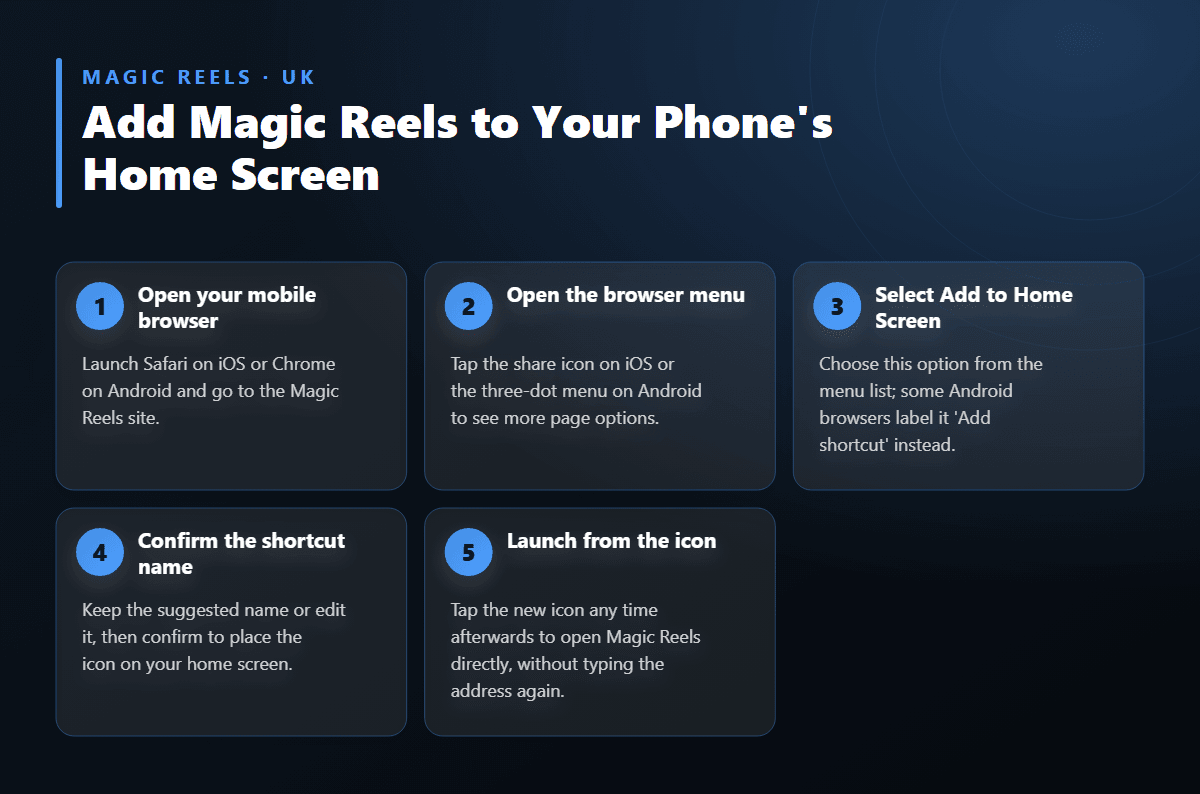
1
Open your mobile browser
Launch Safari on iOS or Chrome on Android and go to the Magic Reels site.
Magic Reels doesn't publish a separate app for Android or iOS; instead, the full casino and sportsbook open directly in your phone's browser, with nothing to download or update. Players can save a home screen shortcut for one-tap access, and every slot, live table and betting market works exactly as it does on desktop. This page explains how to open Magic Reels on mobile, log in, and use the cashier from your phone.
Follow these quick steps to create a one-tap shortcut so Magic Reels opens like an app every time.
Magic Reels does not offer a separate APK file or App Store listing. Instead, the entire casino and sportsbook run through your phone's web browser, so there is no package to download, no storage taken up, and no manual update process to manage. Open the site in Safari, Chrome or any modern mobile browser and the full platform loads the way it would on a desktop screen, just reshaped for touch.
This browser-based approach means the experience stays current automatically. Every improvement or new game release appears the moment you reload the page, rather than waiting for an app store update to roll out. For players who prefer not to grant extra permissions to a downloaded application, the browser route avoids that step entirely while still delivering fast load times and smooth navigation.
Players switching between a phone, tablet and laptop will find their account, balance and game history stay in sync, since everything runs from the same underlying platform. There is nothing exclusive to desktop that mobile browser users miss out on.
| Feature | Detail |
|---|---|
| Native app | Not required – full browser access |
| Supported devices | Android and iOS smartphones and tablets |
| Game library | 3,000+ titles, including live dealer tables |
| Featured slot | Fishin Pots of Gold |
| Minimum deposit | £20 |
| Minimum withdrawal | £150 |
| Withdrawal time | 24–36 hours standard; up to 72 hours over £1,000 |
Getting started takes only a few taps. Type the Magic Reels address into your mobile browser's search bar, or follow a saved bookmark, and the homepage loads automatically in a mobile-friendly layout. The menu, game lobby and account icons sit within easy thumb reach, designed around one-handed scrolling rather than a shrunk-down desktop page.
Many players prefer to skip retyping the address each time. Saving the page as a home screen shortcut turns it into something that behaves like a regular app icon: tap once and the platform opens directly, without a browser address bar cluttering the screen. The steps differ slightly between Android and iOS, but both take under a minute to set up and only need doing once per device.
Once saved, the shortcut keeps working even after your browser is closed completely, since tapping the icon simply reopens a fresh browser session pointed at Magic Reels.
The mobile version carries the full library across to your phone screen, including slots, table games and live dealer options. Among the featured titles, Fishin Pots of Gold remains a popular pick for players browsing the slot lobby on mobile, thanks to quick load times and clear touch controls suited to smaller screens.
Live casino tables run through the same video stream technology used on desktop, so dealers, chat and betting controls all appear correctly scaled for a phone or tablet. The sportsbook section is equally complete on mobile, with live betting markets and partial cash-out options available during matches, letting bettors manage a position without switching to a larger device.
Search and filter tools help narrow down the lobby quickly, which matters more on a phone screen than on desktop. Favourite games can be bookmarked within the account for faster return visits.
Creating an account on mobile follows the same short form as desktop: email address, password and basic personal details, followed by identity confirmation. The registration form is sized for mobile keyboards, avoiding the awkward zooming and misaligned fields that sometimes affect sites not built with phones in mind.
Returning players log in through the same screen, with an option to stay signed in on a trusted device so the login form doesn't need repeating on every visit. If you're setting up an account for the first time, the registration page walks through each field and the verification steps that follow.
Document uploads for identity checks work directly from a phone's camera or photo gallery, which often makes mobile verification quicker than scanning documents on a desktop computer. Once approved, the account functions identically across every device you log into afterwards.
The cashier works exactly the same way on mobile as it does on desktop. Cards, e-wallets such as Skrill and Neteller, bank transfer and cryptocurrency including Bitcoin, Ethereum and USDT all appear as options within the same mobile-friendly menu, with the minimum deposit set at £20.
Withdrawal requests submitted from a phone are processed on the same schedule as any other device: standard requests clear within 24–36 hours, while larger withdrawals above £1,000 can take up to 72 hours due to extra verification checks. The minimum withdrawal amount is £150. For a closer look at how each method handles deposits and payouts, the payments page breaks down processing times method by method.
Because the mobile cashier mirrors the desktop version exactly, there's no need to learn a separate layout or re-enter saved payment details when switching between devices.
A browser-based platform carries real advantages over a downloaded app for casino play. There's no installation file to trust, no app store review process to wait on, and no risk of an outdated version lingering on your phone after an update. The platform you see is always the current one.
Phone storage stays untouched too, since nothing permanent gets installed; the home screen shortcut is simply a bookmark dressed up as an icon. For players who switch phones occasionally, or who share a device, this matters more than it might first appear, since there's no app to redownload or reconfigure after a device change.
💡 Tip: Keep your mobile browser updated to its latest version for the smoothest graphics performance, particularly when playing live dealer tables or watching live sportsbook streams over a mobile data connection.