

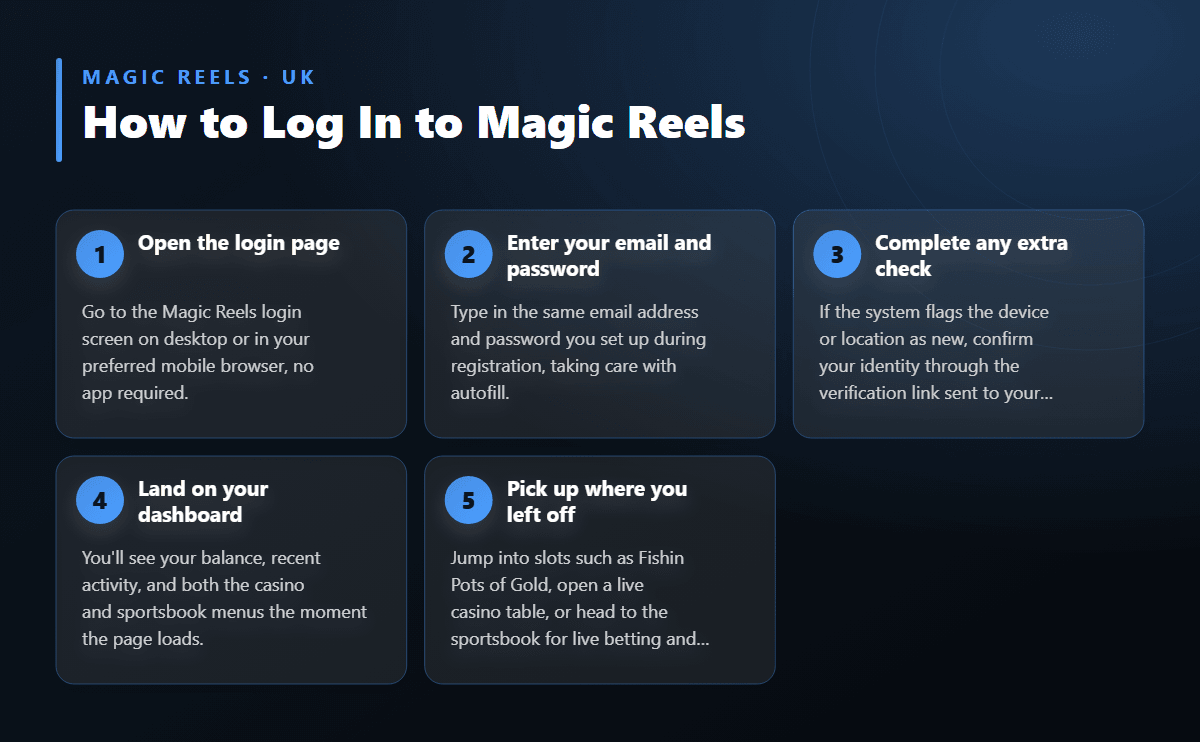
1
Open the login page
Go to the Magic Reels login screen on desktop or in your preferred mobile browser, no app required.
The Magic Reels login opens the same account on a computer or a phone, taking you straight to your casino balance, live tables, and sportsbook markets in one place. Sign in with the email and password you used at registration, or request a password reset in a couple of taps if you've forgotten them. Below you'll find every login route worth knowing, fixes for the sign-in issues players run into most often, and a look at exactly what's waiting on the other side once you're in.
Magic Reels runs on a single account structure, so there's no separate desktop and mobile login system to keep track of, and no separate password to remember for each device. On a computer, open the Magic Reels login page in your usual browser — Chrome, Firefox, Edge, or Safari all work without issue — enter your registered email address and password, and you land directly on your account dashboard. The same page adapts automatically to a smaller screen, so there's no separate mobile site to search for.
On a phone or tablet the steps are identical: open your preferred mobile browser, navigate to the login page, and sign in with the same email and password you use on desktop. Because the platform works through mobile browser access rather than a downloadable app, there's nothing to install from an app store and nothing taking up storage space on your device. Saving the login page as a browser bookmark, or adding it to your phone's home screen, gives you a shortcut that opens almost as quickly as a native app would.
Switching between a laptop in the evening and a phone during the day causes no disruption either, since your balance, game history, and bonus progress stay attached to the same account regardless of which device you used to log in last. If you haven't set up an account yet, the registration page walks through the sign-up steps before your first login, so there's somewhere to start before any of this applies.
A forgotten password doesn't need to hold up your session for long. On the login screen, select the password reset option and enter the email address tied to your account. A reset link lands in your inbox shortly afterwards; opening it lets you choose a new password and sign in straight away with the updated details, without waiting on anyone else to step in.
If the reset email doesn't appear within a few minutes, checking a spam, promotions, or junk folder usually solves it, since automated security emails sometimes get filtered there by mistake. Typing the email address correctly matters too — a small typo at registration means the reset link goes to an inbox you can't access, which is worth ruling out before trying anything else.
When none of that resolves the issue, reaching out to support with the details of your account lets a person confirm your identity and restore access through another route. Having the email address you registered with ready, along with any recent transaction details, speeds up that conversation considerably, since it gives support something concrete to check against.
| Access Point | Devices Supported | What You Need | Good to Know |
|---|---|---|---|
| Desktop browser | Windows, macOS, Linux | Registered email and password | Bookmarking the login page saves time on every return visit from the same computer. |
| Mobile browser | iOS and Android phones or tablets | Same email and password as desktop | No app download is needed; the site adapts fully to Safari, Chrome, or any modern mobile browser. |
| Password reset | Any device with browser access | Access to your registered email inbox | A reset link usually arrives within minutes under normal conditions, so check spam folders if it's delayed. |
| Locked or unverified account | Any device | Verified email and, where requested, ID documents | Support can confirm account status quickly once your registered email and any requested documents are ready. |
Follow these steps to reach your casino and sportsbook balance in under a minute.
Most sign-in trouble comes down to a handful of recurring causes, each with a fix that takes less time than the problem itself:
Working through this list in order solves the overwhelming majority of login attempts that don't go through on the first try, without needing any outside help.
Once you're logged in, a few habits keep your account firmly in your own hands. Choosing a password you haven't reused on any other site, and updating it occasionally, reduces the risk of someone else guessing their way in over time. Logging out properly on shared or public computers, rather than just closing the tab, stops the next person who sits down from picking up your open session.
Verification of your identity may be requested before certain withdrawals go through, which is simply an extra layer protecting the account and the funds sitting inside it. This step feels like a small formality once documents are ready, and it only needs completing once for most players.
Once you're through the login screen, the full Magic Reels lobby opens up in one place. The catalogue runs to thousands of slot titles alongside live casino tables with real dealers, and featured releases such as Fishin Pots of Gold sit alongside the newest arrivals, all searchable from the same menu you land on after signing in. A sportsbook lives under the same account, with live betting markets and partial cash-out available while an event is still running, so there's no second login needed to switch from reels to fixtures.
New players who haven't claimed it yet will see the welcome offer waiting in the cashier: a 100% match on the first deposit up to £1,000, available from a minimum deposit of £20, with 45x wagering applied across deposit and bonus funds together. A no-deposit option of free spins is also available for new sign-ups before any money changes hands, giving a feel for the games first.
Deposits and withdrawals both run from the same account menu, with cards, e-wallets, bank transfer, and crypto including Bitcoin, Ethereum, and USDT all available as funding options once you're logged in. For a closer look at how deposits and cash-outs work day to day, including processing times, the payments page covers the full process in detail.